What is FortiManager
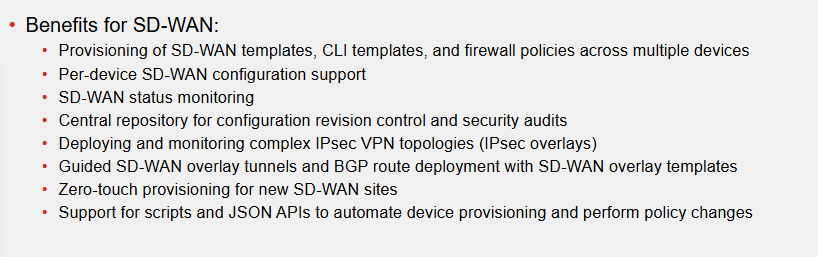
It is a centralised single-pane-of-glass management for FortiGate firewalls. It can also be used for SD-WAN. FortiManager is great if we have many devices. Below are benefits for SD-WAN Deployment:
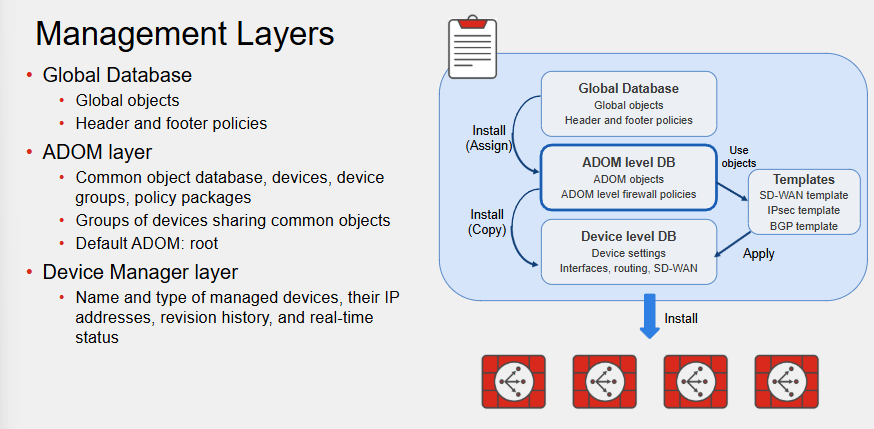
FortiManager Components
FortiManager Wizards
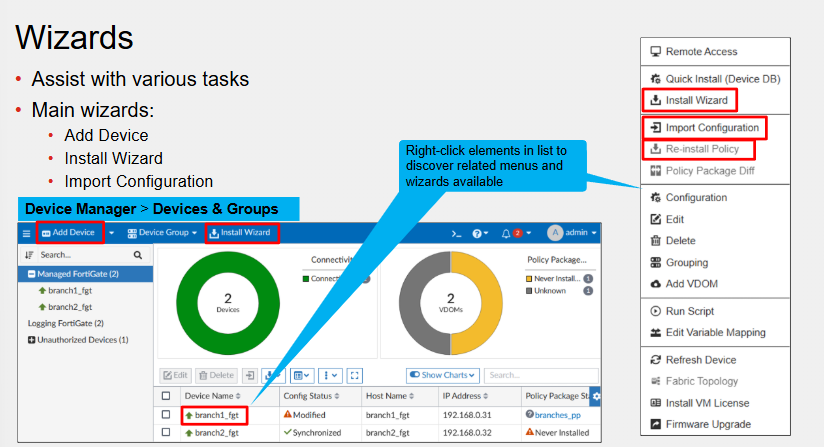
- Add Device- Add new FortiGates into FortiManager
- Install Wizard - Install configuration changes to the Managed Devices
- Import Configuration- Import interface mappings, policy databases, and objects associated with the managed device into a policy package.
SD-WAN - Per Device Management
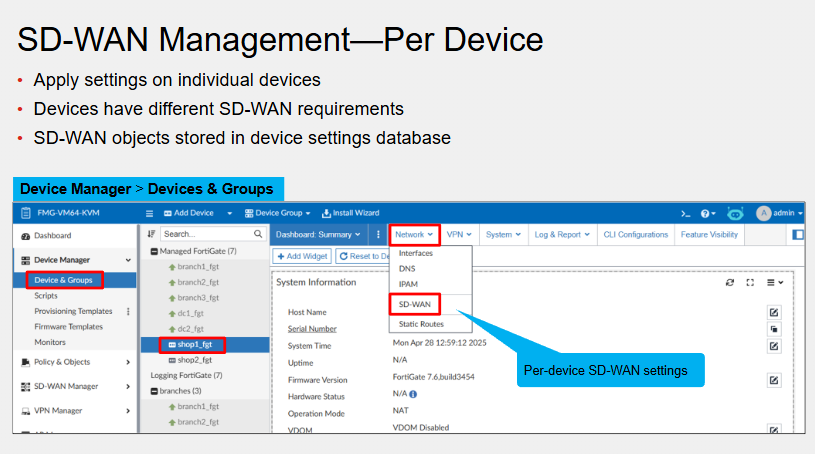
This is useful when we have different managed SD-WAN FWs which need different rules or configuration.
SD-WAN - Central Management
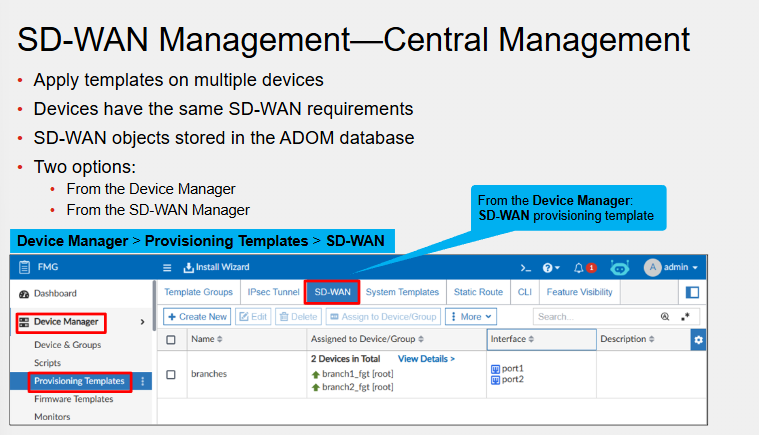
This requires FortiManager 7.6 We can create and apply an SD-WAN template to one or more managed FortiGate devices. Useful when we have deployment where sites need similar SD-WAN configuration
SD-WAN Manager - Central Management
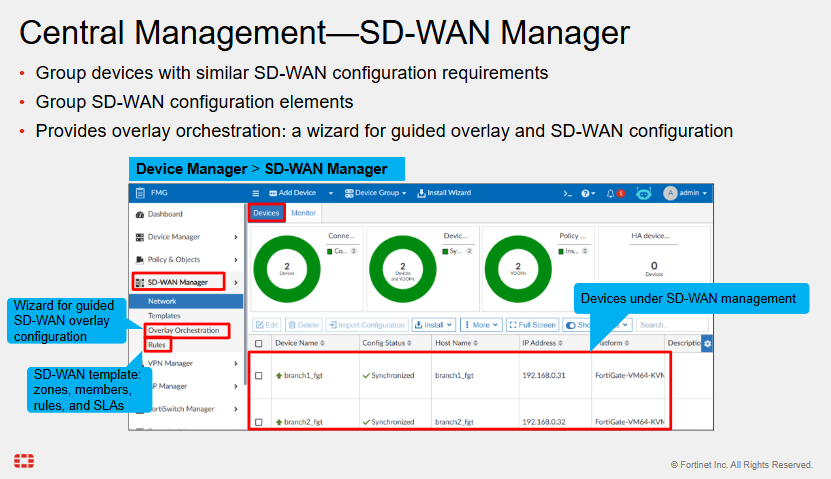
Devices must be moved from Device Manager to SD-WAN Manager. They are still visible in Device Manager but only read only mode.
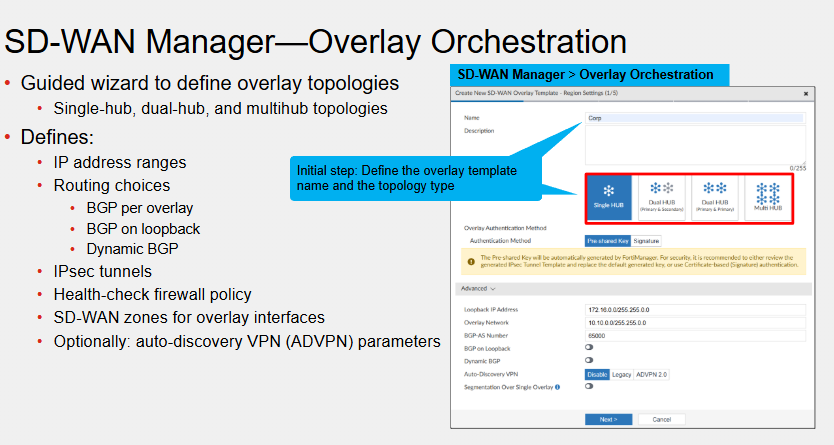
SD-WAN Overlay Orchestration
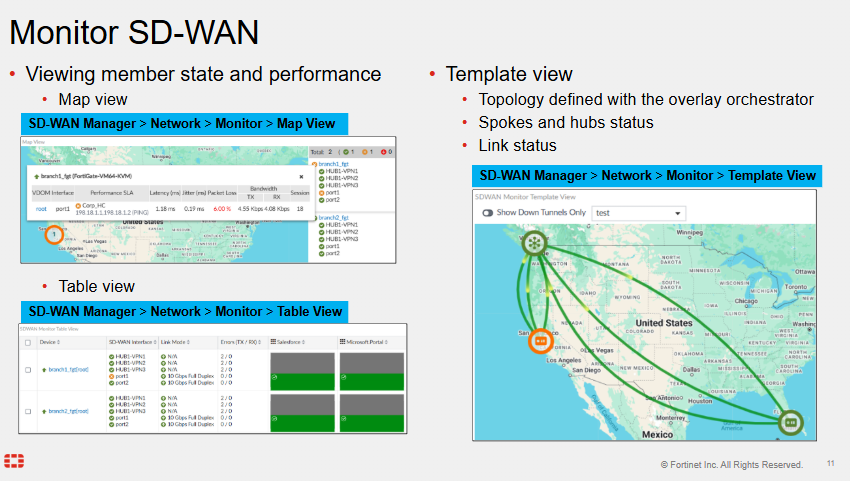
Monitoring SD-WAN
SD-WAN FortiManager Settings
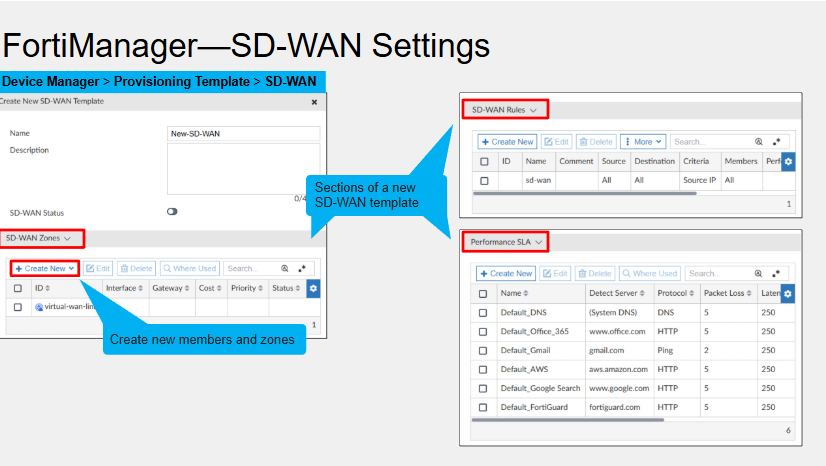
Pretty much identical to the FortiGate GUI itself.
SD-WAN FortiManager Zones
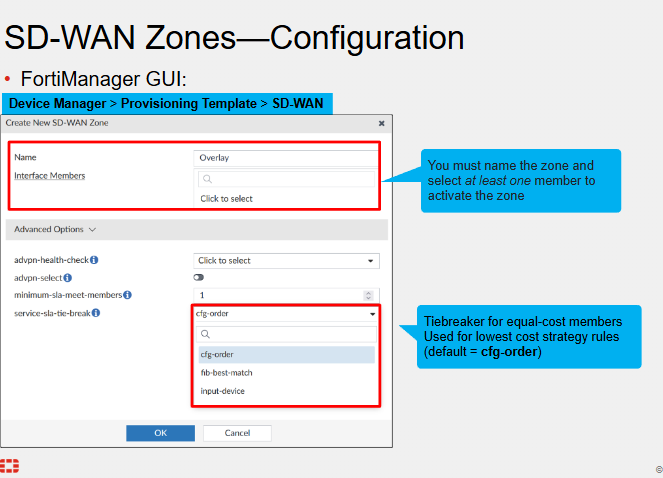
We have discussed cfg and fib-best match previously, but input-device is used for interface stickiness.
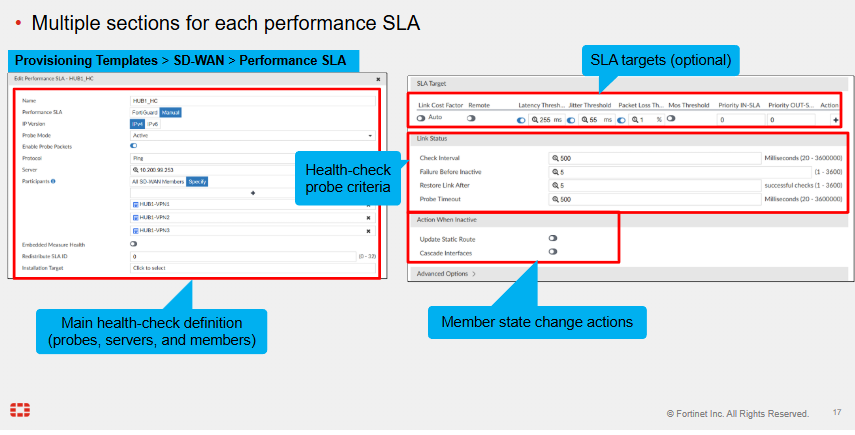
SD-WAN FortiManager Performance SLA
SD-WAN FortiManager Installation Targets
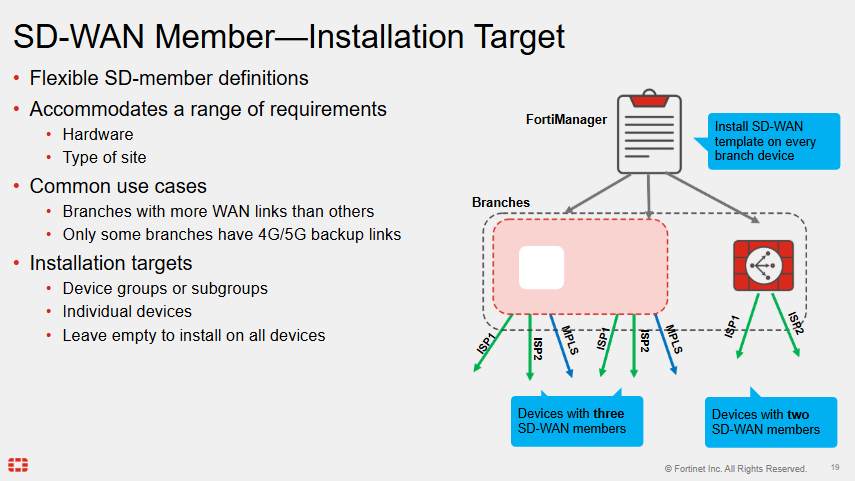
Applies to templates
Metadata Variables
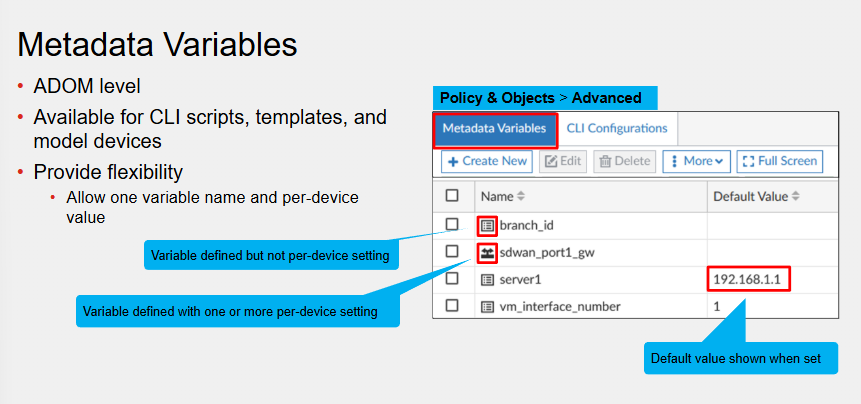
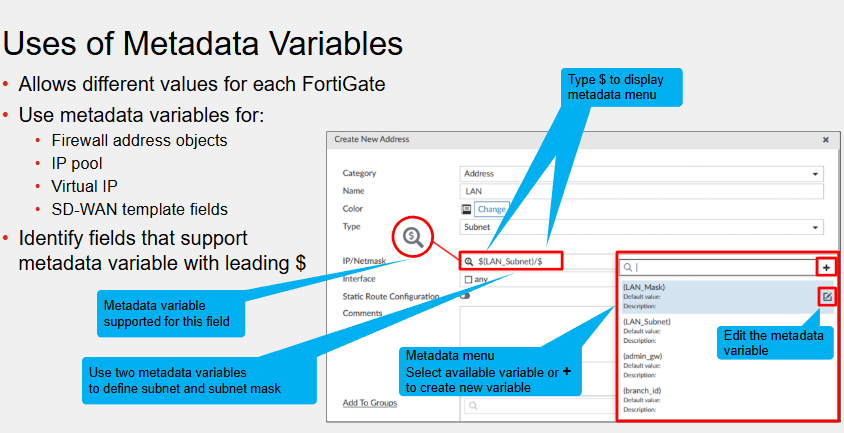
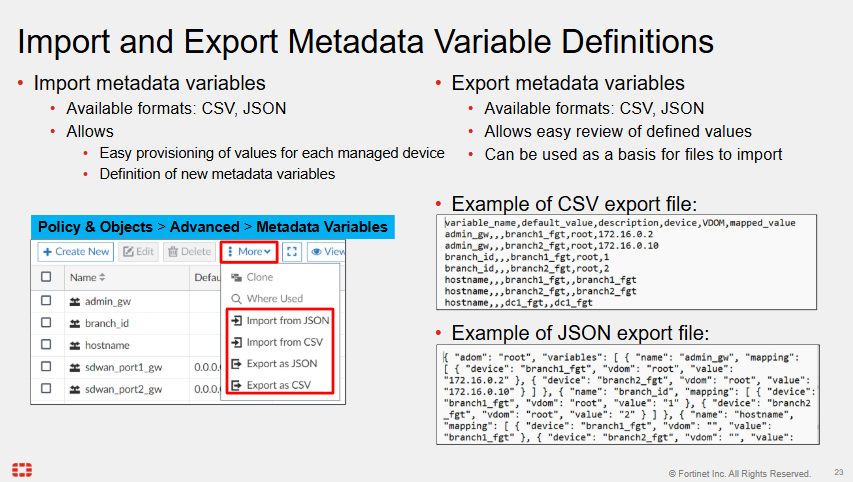
Each time a parameter has different values across different devices we should be using Metadata variables Metadata variable can can only include letters, numbers and _
SD-WAN Templates
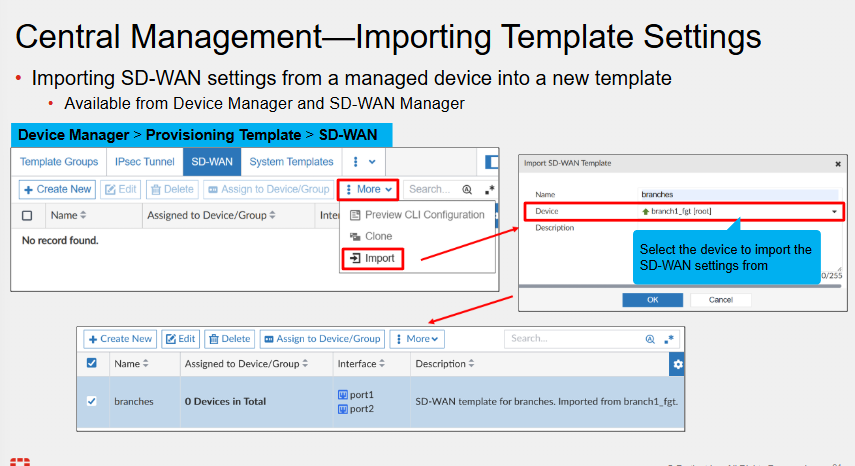
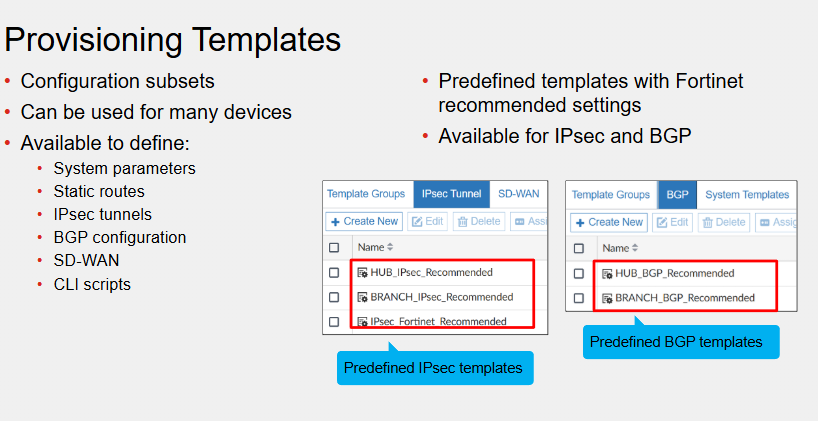
SD-WAN Template Groups
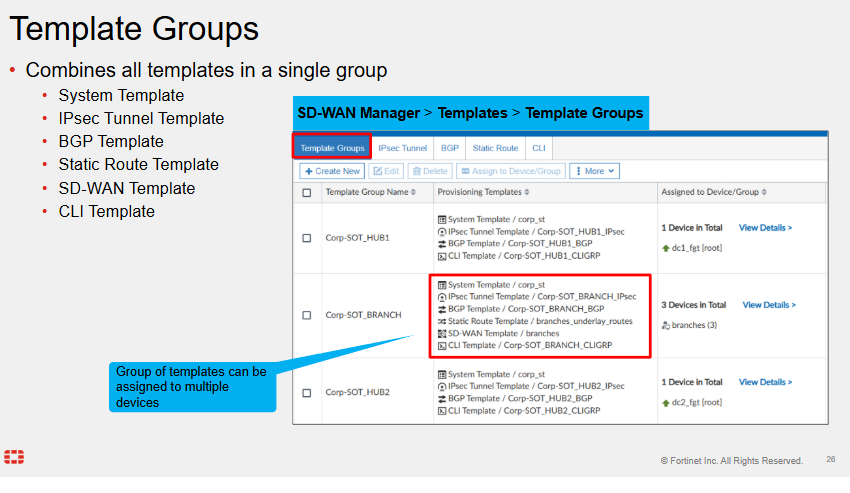
SD-WAN Normalised Interfaces
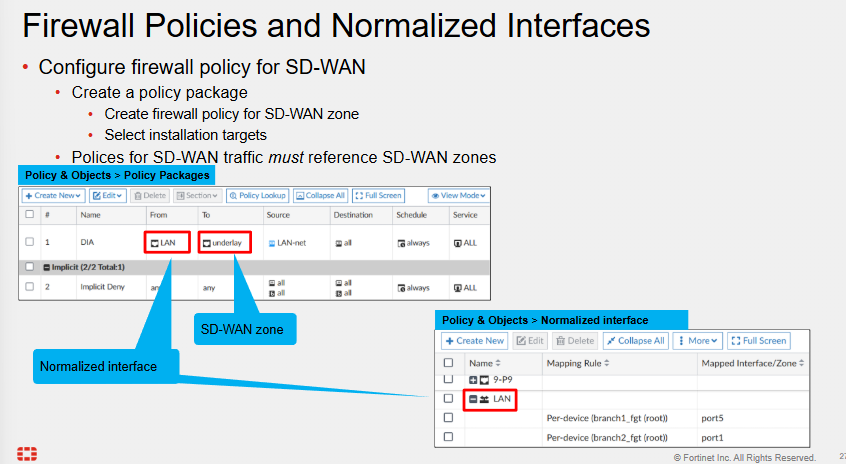
Normalised interfaces need correct mapping rules - Enables using different interfaces on a per device/platform configuration.
LAN here is mapped per device to Branch1_fgt and Brnach2_fgt.
Comments