Manual SD-WAN Strategy
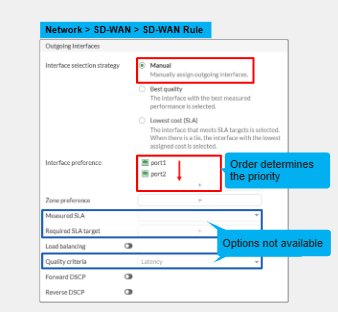
The first member that is in the configuration list that is up and alive is preferred - Health checks are optional to configure. Metrics and SLA targets are not considered. But they are recommended as with them they can perform health check probes to a configured server otherwise the only way it will fail over is based on interface status.
If the first member is dead then the second member takes over.
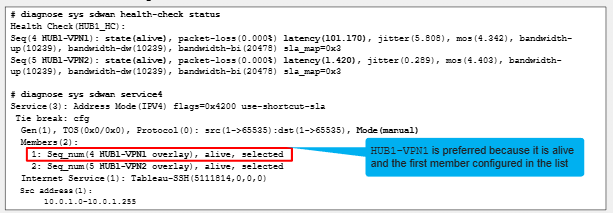
Even though HUB1-VPN1 overlay has a much higher latency it is the one that is alive and has highest configuration priority.
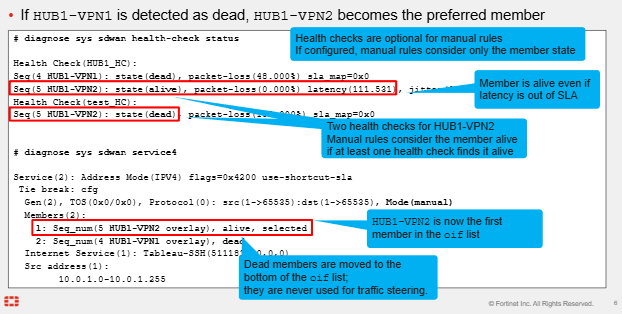
Dead members are moved to the bottom of the list. Also we can see that even though Hub1-VPN2 was now selected its latency is high but with manual strategy even though the health check says latency is high it doesn't care. As long as the configured Health-Check server is up and reachable then this interface will be used.
The member status of the dead member will be continued to be monitored. And will set the member back to alive if the interface comes back up. Traffic is never ever steered through dead SD-WAN members.
Configuration Priority vs Priority Setting
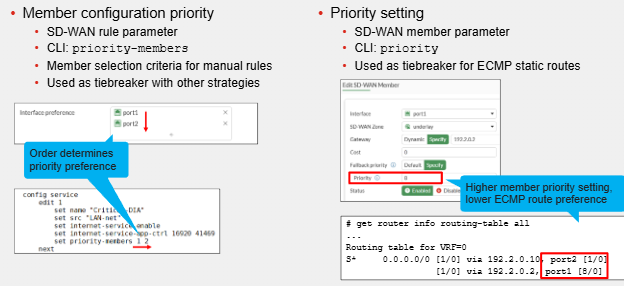
SD-WAN Member priority vs Member Cost
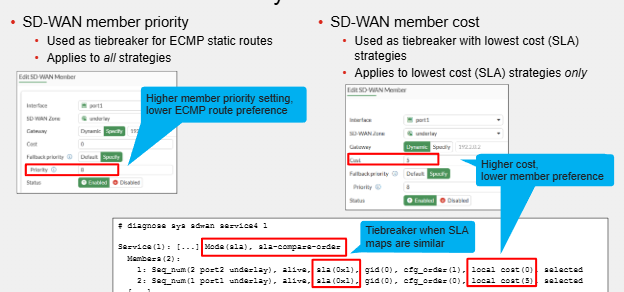
- Member priority = Tiebreaker for ECMP static routes
- SD-WAN Member COST = Tiebreaker with Lowest cost SLA and only applies to this.
Manual Strategy with Load Balancing
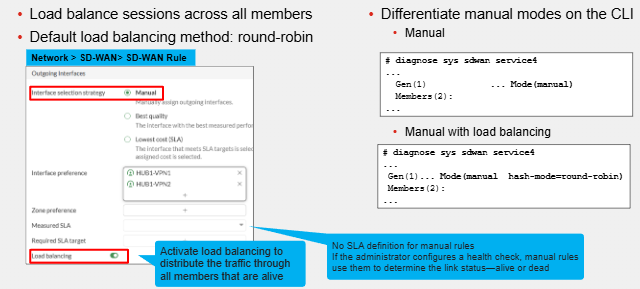
Sessions will be distributed across all available members. They must all be up. Performance metrics are not considered but Health Check probes for the actual SD-WAN members are considered and if one is unable to reach a configured server once again it wont participate in the Load-Balancing.
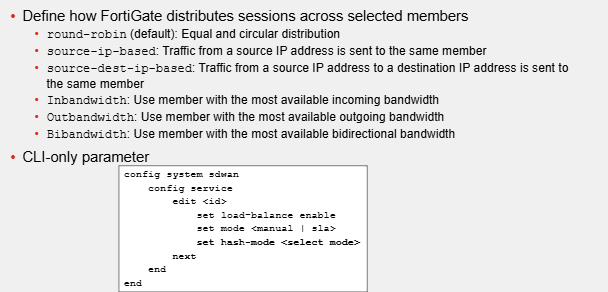
Load Balancing Methods Available
Best Quality Strategy
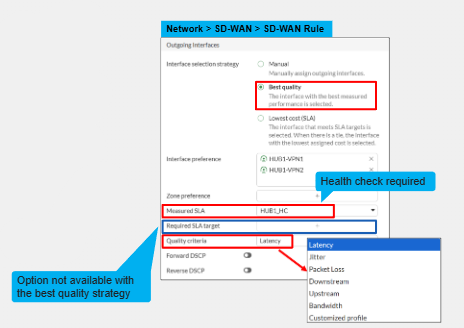
The best quality SD-WAN member becomes the preferred SD-WAN member to send traffic over. We measure this quality with a health check probe.
The default quality metric to determine the quality of an SD-WAN member is latency. For best quality however it is determied by:
- Member Configuration Order
- Link-Cost Threshold
- Metric
Only 1 SD-WAN member is used with this strategy. There is no Load-Balancing. Also SLA Targets are not considered.
Best Quality Metrics
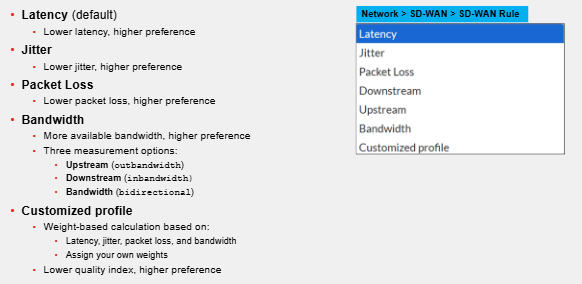
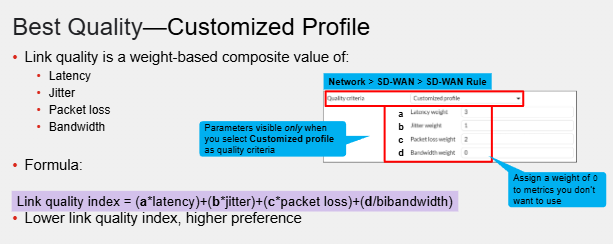
Basically to make it simple, if we consider packet loss the most critical assign it the highest weight value. If this strategy is to eb used for voice we may consider jitter and latency more of a priority than packet loss and thus would give it a higher weight value
If we want to ignore a metric, we can give it a value of 0
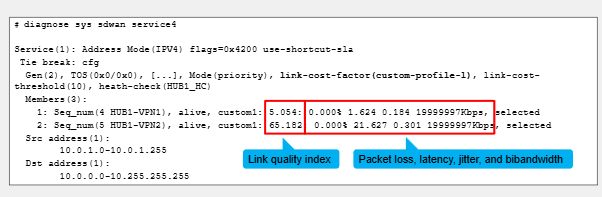
In this example we are only considering 3 metrics.
Link Cost Threshold
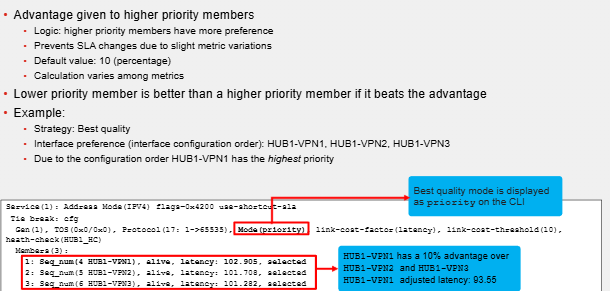
This works in addition to the above. We can determine the best SD-WAN member in Best Quality SD-WAN Strategy by using the command "Diagnose sys sdwan service4" - Member at the top is the preferred member.
It basically gives an advantage or handicap to higher priority members. SD-WAN Member priority is determined from the interface configuration order. Members configured first have higher priority than those below them. Higher priority members should have better preference than lower ones.
This value is expressed as a %. Default value is 10.
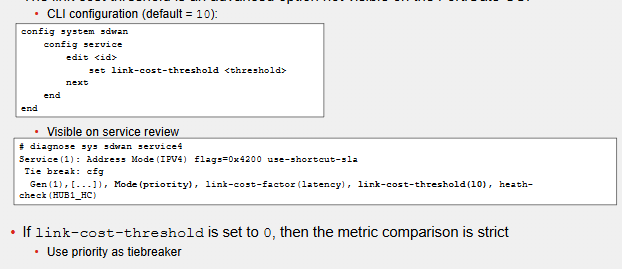
This command is not available on the FortiGate GUI.
Comments