SD-WAN Map & Table view
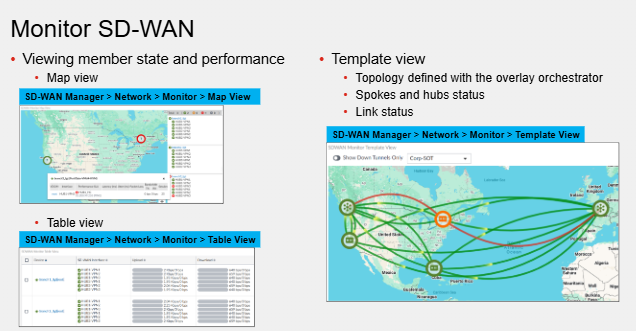
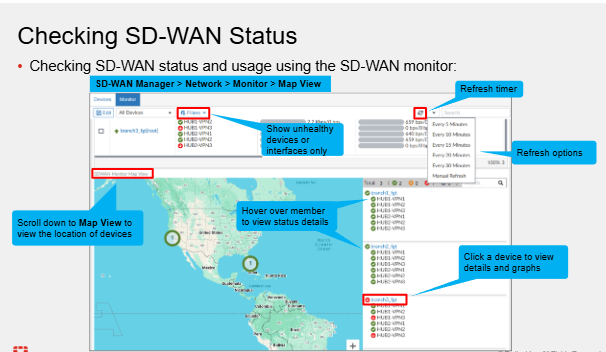
Page must be manually refreshed or refresh timer to pull the latest status from the device
History View
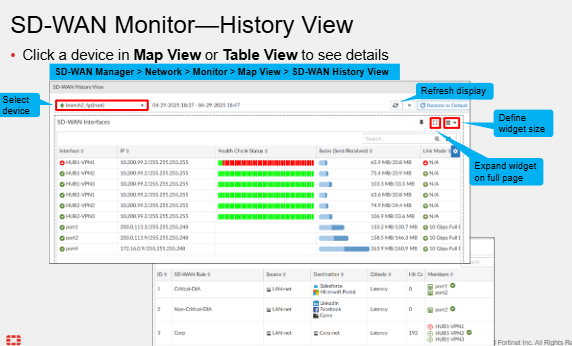
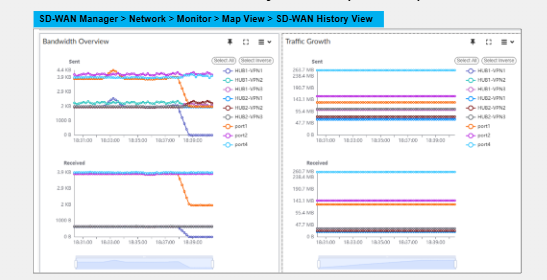
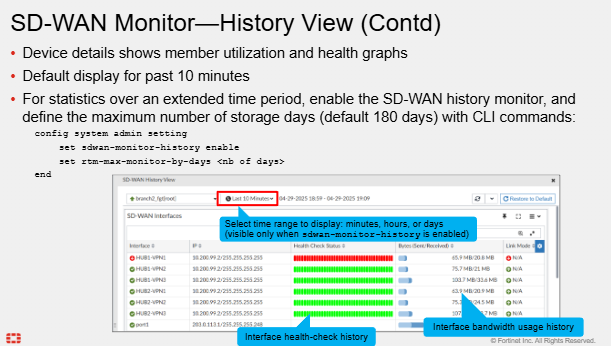
This is available in map or table view
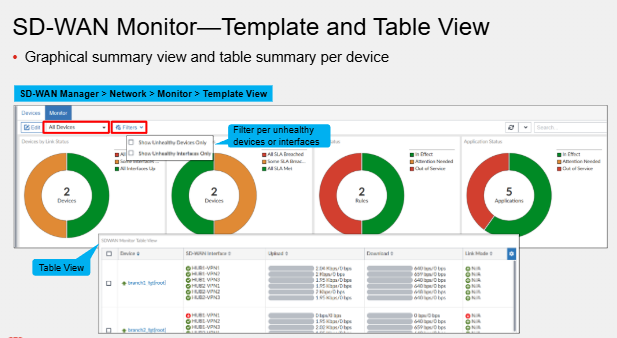
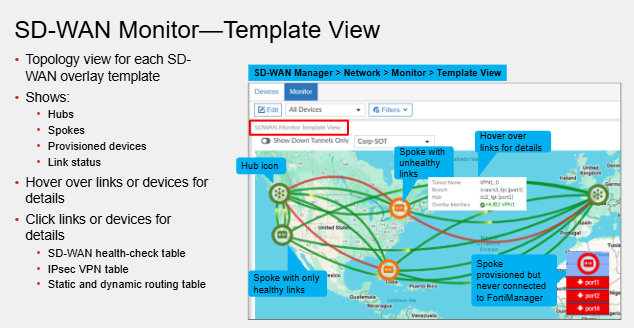
Template & Table View
Overlay Monitoring
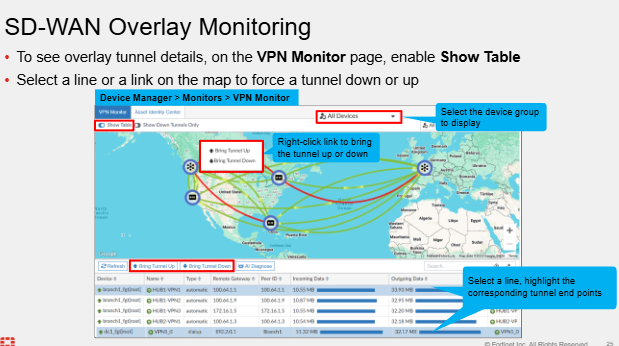
This shows IPsec tunnels created by the IPsec templates & SD-WAN overlay wizard.
Speed Tests
Cloud Assisted Speed Tests
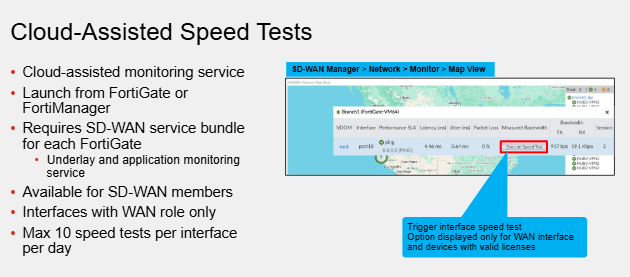
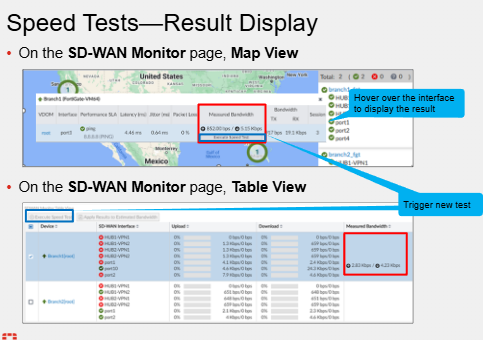
This is for monitoring the SD-WAN interfaces - uses Fortinet Maintained global cloud services. Allows for bandwidth monitoring for QoS and traffic shaping
Hub & Spoke Speed Test
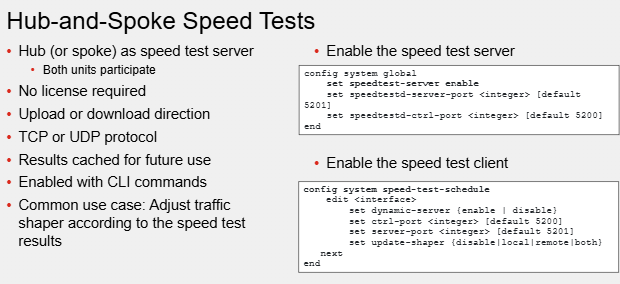
This is CLI only feature. The Hub is the speed test server and the spoke is the client. We can initiate the speed test from either side.
If initiated from the Hub then the results are cached here. If initiated on the client, the results are sent to the Hub which caches the result.
Useful for QoS and traffic shaping for WAN interfaces.
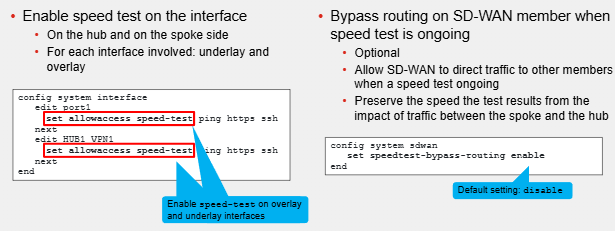
Access Tokens are required to prevent unauthorised tests. This is done by issuing set allowaccess (or append allowaccess) speed-test to the underlay and overlay links.
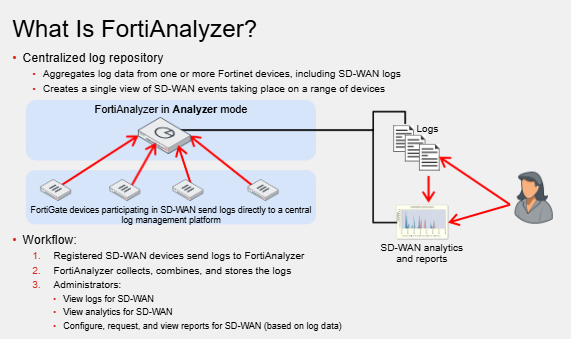
FortiAnalyser for SD-WAN
SD-WAN Traffic Logs
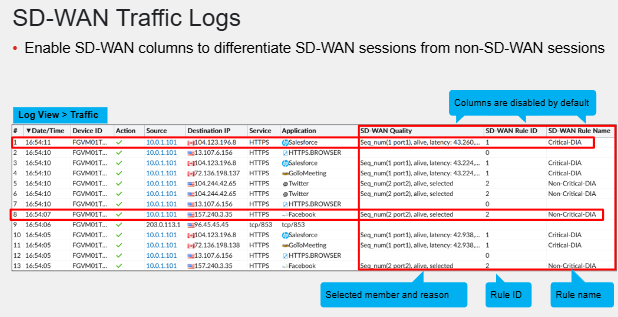
SD-WAN rule, quality, ID and ISDB columns should be enabled as disabled/removed by default.
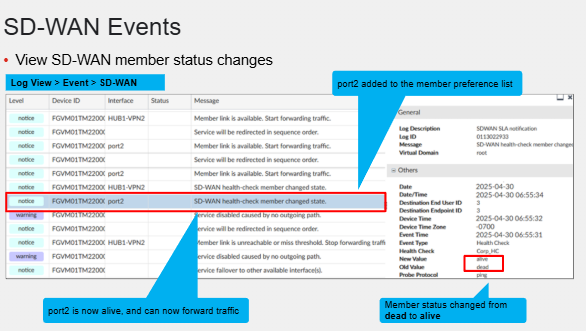
SD-WAN Event Logs
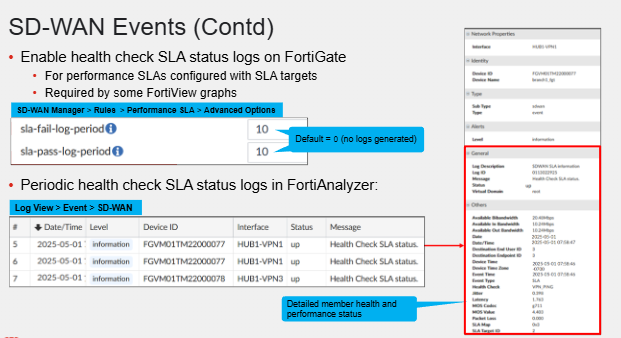
sla-fail-log-period and sla-pass-log-period indicate the interval in second that the health check SLA log status messages when members don't meet the configured SLA target and when it does.
FortiView Secure SD-WAN Monitoring
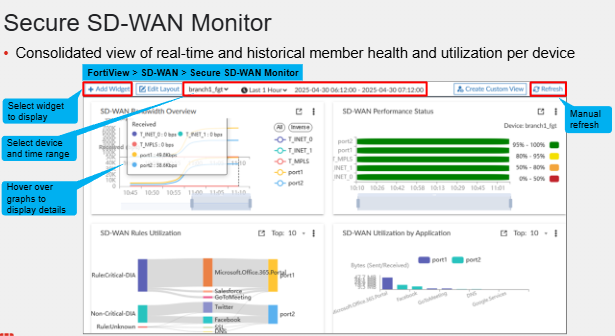
This is on FMG
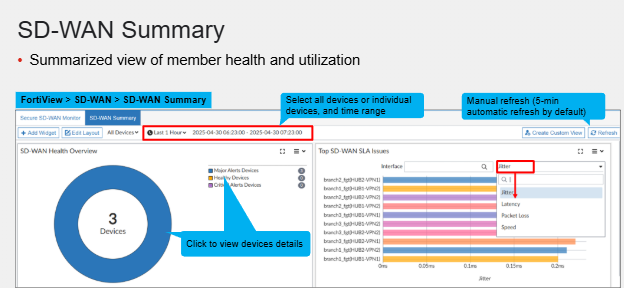
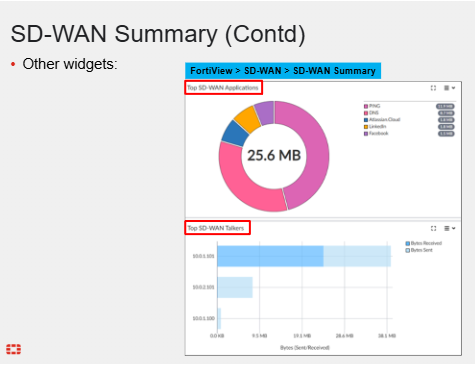
SD-WAN Summary
Comments